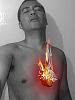
Here we are again with another photoshop video tutorial. This time we'll gonna try to change the color of a person's hair without going to the parlor nor using some hair color cream. We'll do it with magic - that's Photoshop magic of course.
Why do we want to change the color of a person's hair in the first place? For one, sometimes, digital photographs don't turn up the way we like them to, and some adjustments will be needed. For another, the color of the hair might be something that's required in a photo. So instead of actually dyeing our subject's hair before taking a shot - which will be quite time consuming - we do it by Adobe Photoshop instead. It's quick, it's painless, and quite easy.
Did I say that it was easy? It was, right? Go ahead, edit a photo of yourself, change your hair a flaming red, and post it on Facebook. Hey, I just might do that. I'm getting tired of my hair's color... :D
Showing posts with label photoshop. Show all posts
Showing posts with label photoshop. Show all posts
Monday, 22 November 2010

Friday, 19 November 2010
How To Make Ice Text In Photoshop - Video Tutorial
Whew, when summer's here, who wouldn't like a block of ice, eh? Last summer, I made something in photoshop to set as my desktop wall paper. I watched this photoshop tutorial video, followed it to the letter, and hey, it worked. I got me an icey text displayed on my desktop and just by looking at it, I felt cooler. Haha, laugh if you must, but it really did work.
I can feel a bit of skepticism here from you. You don't believe me, I know. Well, I guess I have to prove it to you. Here's the video tutorial. Fire up Photoshop. Make your own Icey Text and you'll see.
Now, if you got this right, you probably have a cool, literally, looking text. Look at it. Now tell me, you feeling the coolness?
So..?
C'mon!
Really, you don't?
Ha! You probably messed something up somewhere.. :D
I can feel a bit of skepticism here from you. You don't believe me, I know. Well, I guess I have to prove it to you. Here's the video tutorial. Fire up Photoshop. Make your own Icey Text and you'll see.
Now, if you got this right, you probably have a cool, literally, looking text. Look at it. Now tell me, you feeling the coolness?
So..?
C'mon!
Really, you don't?
Ha! You probably messed something up somewhere.. :D
PS Video Tutorial - Create Animated Gifs
You've probably seen an animated gif; you know, those picture files that move like it's a mini video. I'm sure you know all about them, (duh!) but for the very few out there (not including you, mind) who's not familiar about them, here's a little background.
An animated gif is an image file that contains several images inside them. These images are presented in a predetermined order. Hey, ever seen the trick where some guy draws some images on the pages of a notebook and then flips the pages real fast? Viola! you perceive movement. That's the idea behind an animated gif. It's several pictures appearing and disappearing in order, sometimes looping back to the beginning when the last picture has been displayed to create an endless loop of movement.
Here's a little photoshop tutorial video on how to make one.
Well, hope this one helped. Now you can run around telling your friends you finally know how it's done. Haha, just kidding. By the way, gif is short for Graphics Interchange Format. Bet you didn't do that, yea? You did? Awww, That would have been a cool closing sentence. No worries, maybe the next reader won't... :D
An animated gif is an image file that contains several images inside them. These images are presented in a predetermined order. Hey, ever seen the trick where some guy draws some images on the pages of a notebook and then flips the pages real fast? Viola! you perceive movement. That's the idea behind an animated gif. It's several pictures appearing and disappearing in order, sometimes looping back to the beginning when the last picture has been displayed to create an endless loop of movement.
Here's a little photoshop tutorial video on how to make one.
Well, hope this one helped. Now you can run around telling your friends you finally know how it's done. Haha, just kidding. By the way, gif is short for Graphics Interchange Format. Bet you didn't do that, yea? You did? Awww, That would have been a cool closing sentence. No worries, maybe the next reader won't... :D
Subscribe to:
Posts (Atom)